Rich note capture
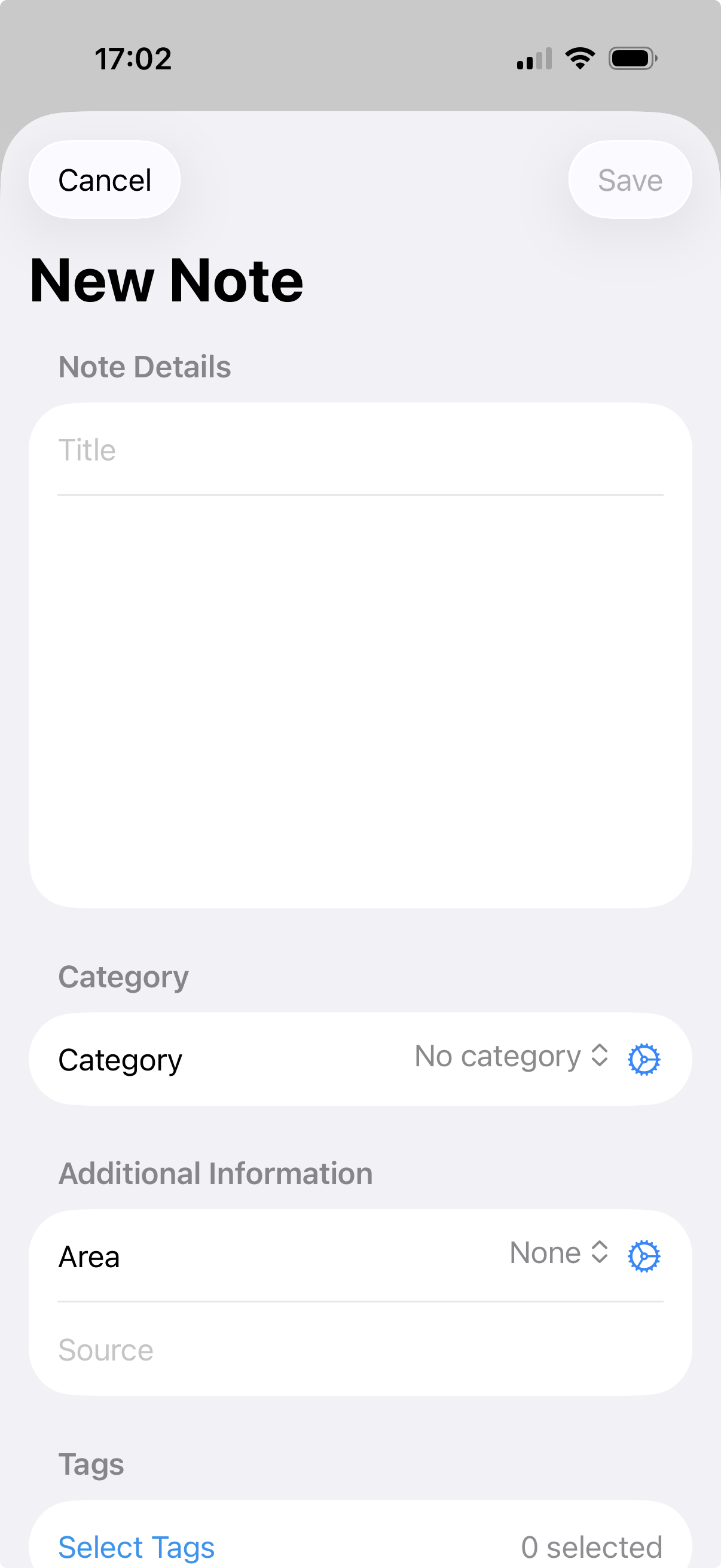
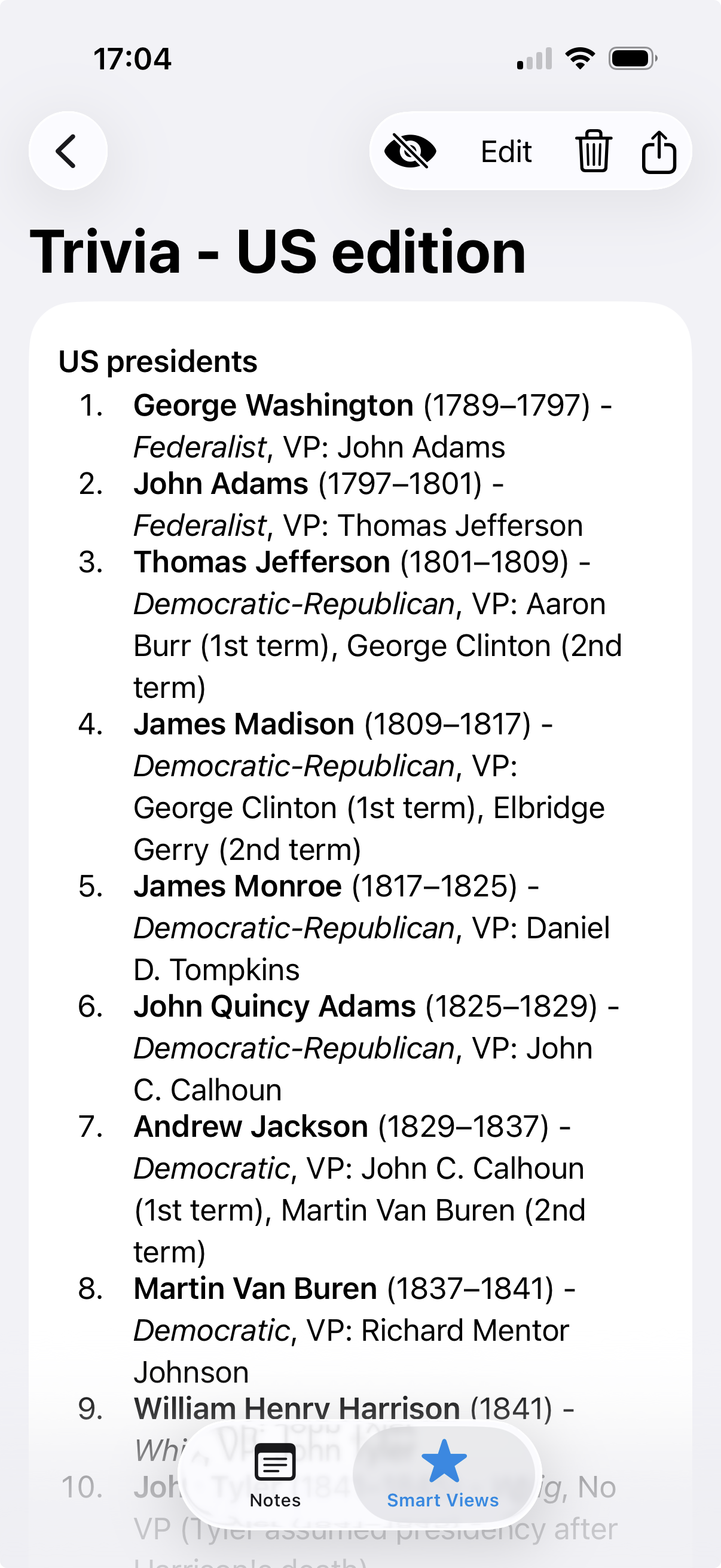
Create notes with clear titles and content so ideas, stories and reminders stay easy to revisit.
Anecnote helps you store memories, quotes, advice, reviews, facts and everyday observations in one flexible system. Add the metadata that matters to you, then use Smart Views to bring the right notes back exactly when you need them.
Designed for iPhone and iPad, with support for Apple silicon Macs too.
Store anything worth keeping
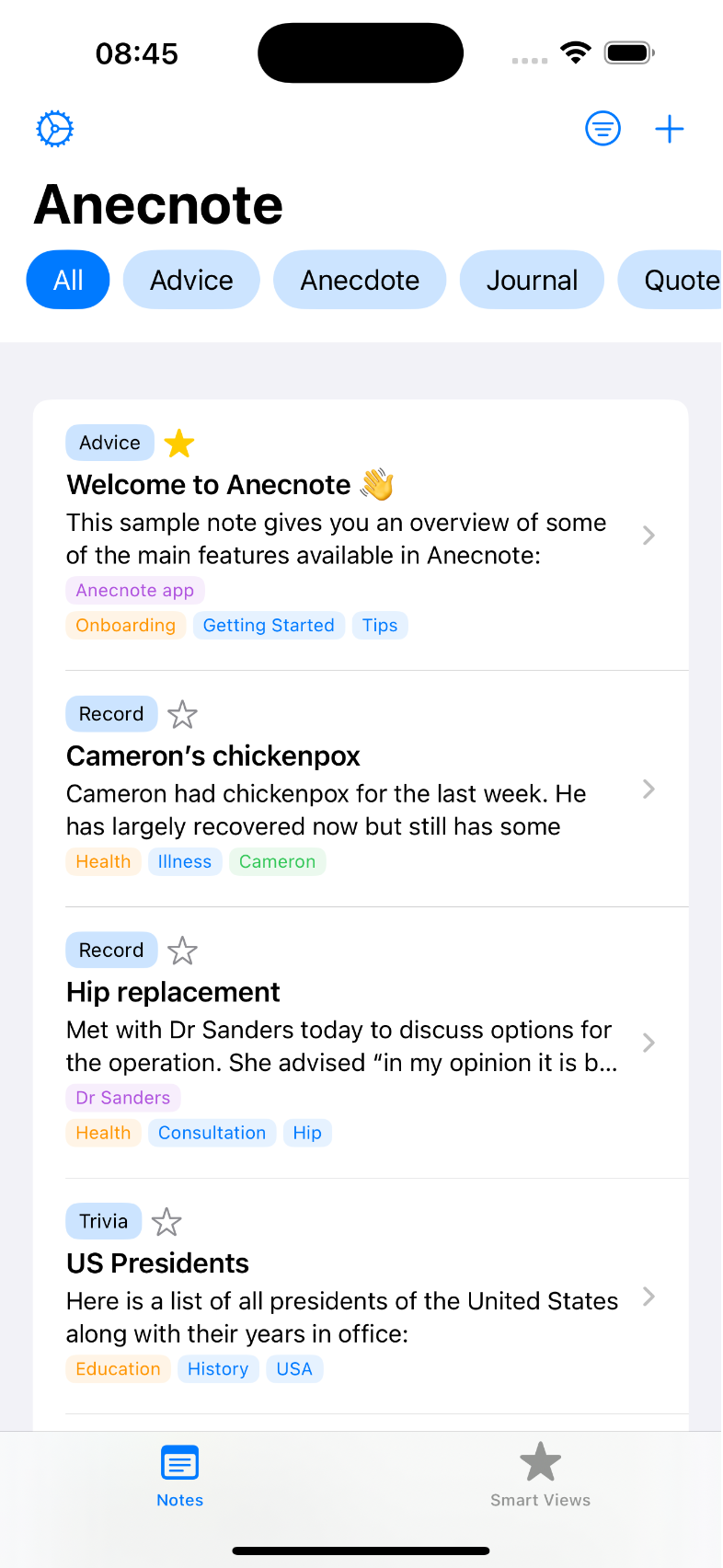
Capture memories, facts, quotes, advice, reviews and more in one place.
Shape notes with metadata
Use categories, areas, tags, people, sources and more to organise naturally.
Find what matters fast
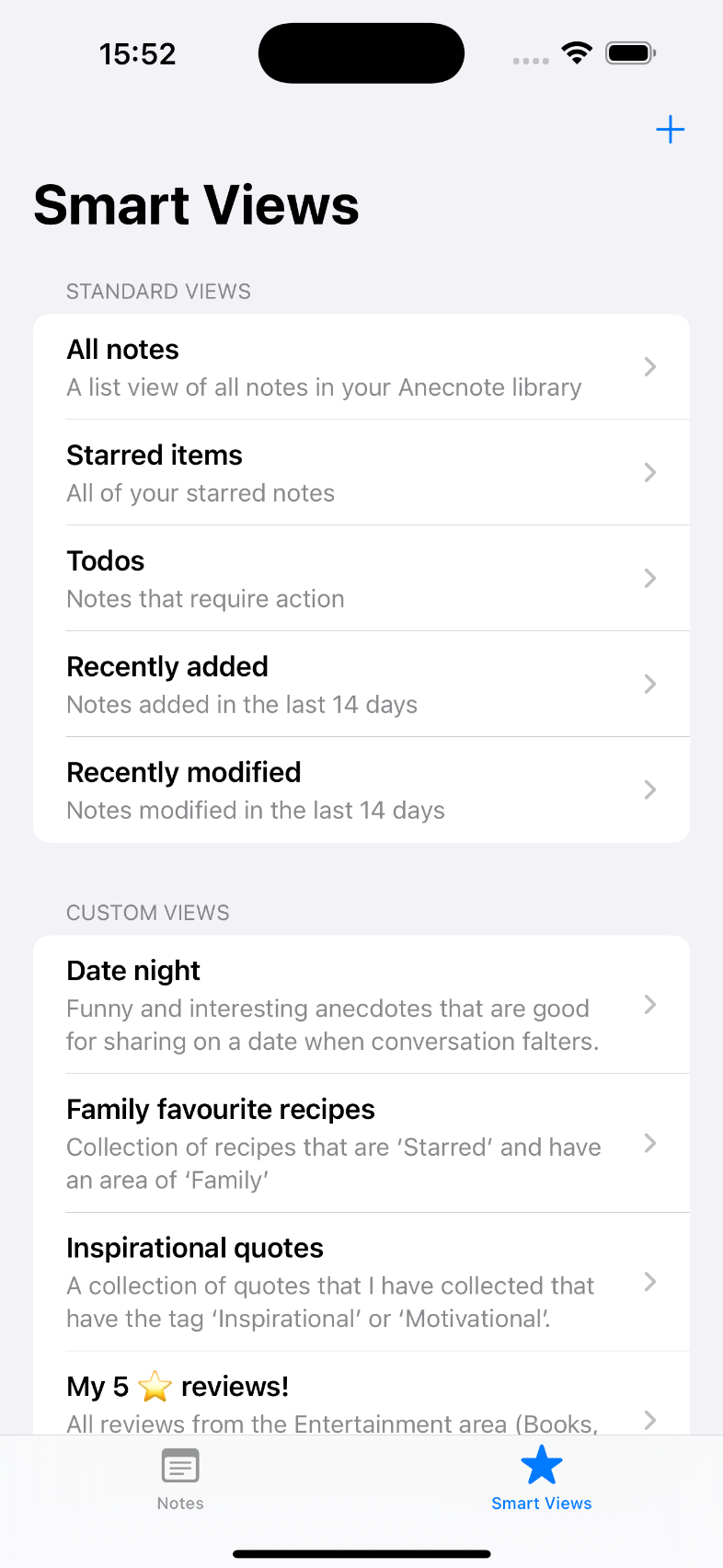
Use Smart Views to surface the notes that are relevant right now.

Anecnote
A smarter way to keep notes worth remembering
Why Anecnote works
Instead of letting useful ideas disappear into a pile of generic notes, Anecnote helps you store them with enough structure to be genuinely useful later.
Its real strength is retrieval. Smart Views pull together the exact notes you need from your metadata, whether you are recalling a memory, checking a recommendation or reviewing an ongoing situation.
Main features
Create notes with clear titles and content so ideas, stories and reminders stay easy to revisit.
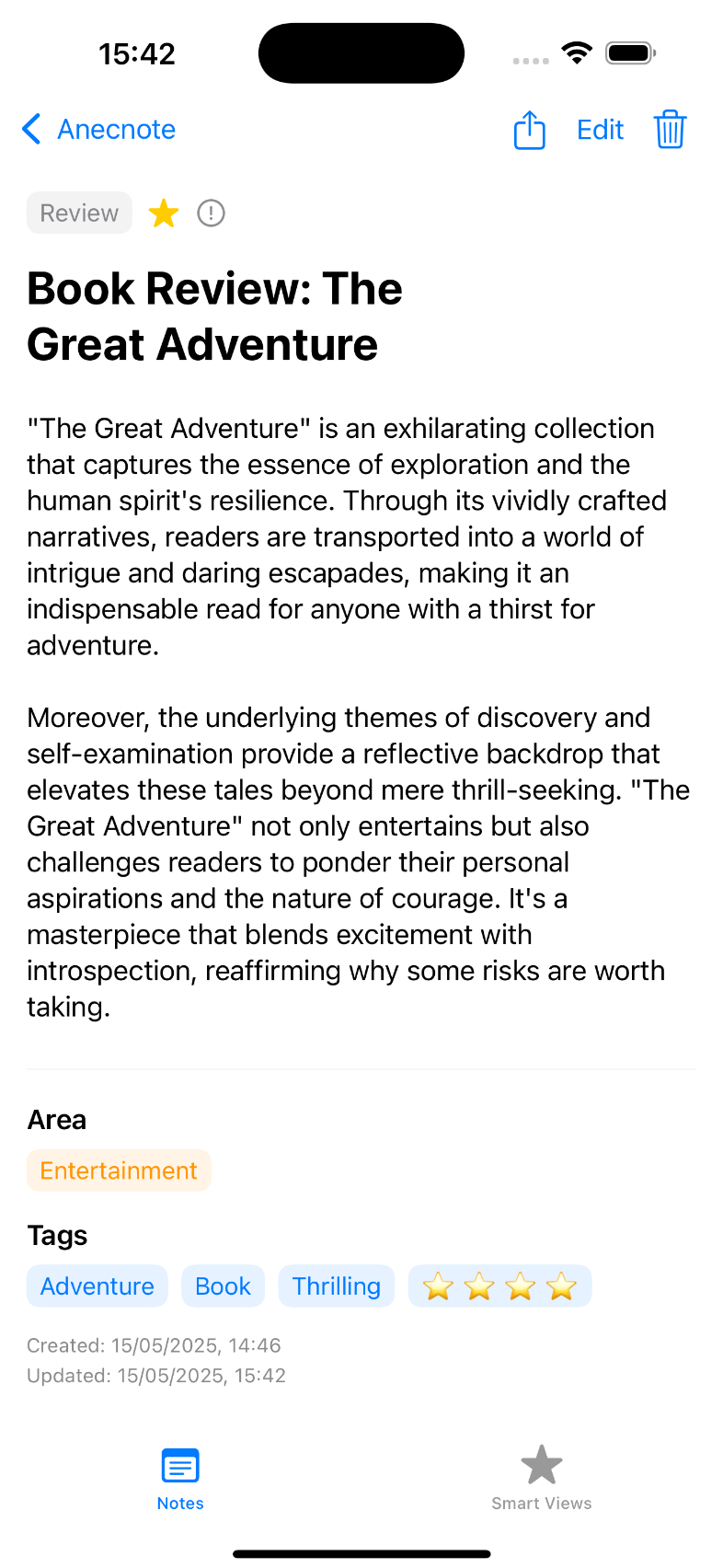
Classify notes with categories, areas, tags, people, sources, favourites and action markers in whatever combination suits you.
Keep track of where something came from and attach supporting context so each note keeps its meaning.
Build filtered note collections with AND and OR logic so Anecnote can surface exactly what matters in the moment.
What sets Anecnote apart
Anecnote is at its best when you want to capture useful fragments of life and then bring them back in the right combinations later, without digging through an endless archive.
Adapt categories, areas, tags and people to your own system so Anecnote can work for memories, recommendations, records, research or anything else you collect.
Combine metadata into focused note lists for health records, funny anecdotes, favourite recommendations, family memories or any other repeat need.
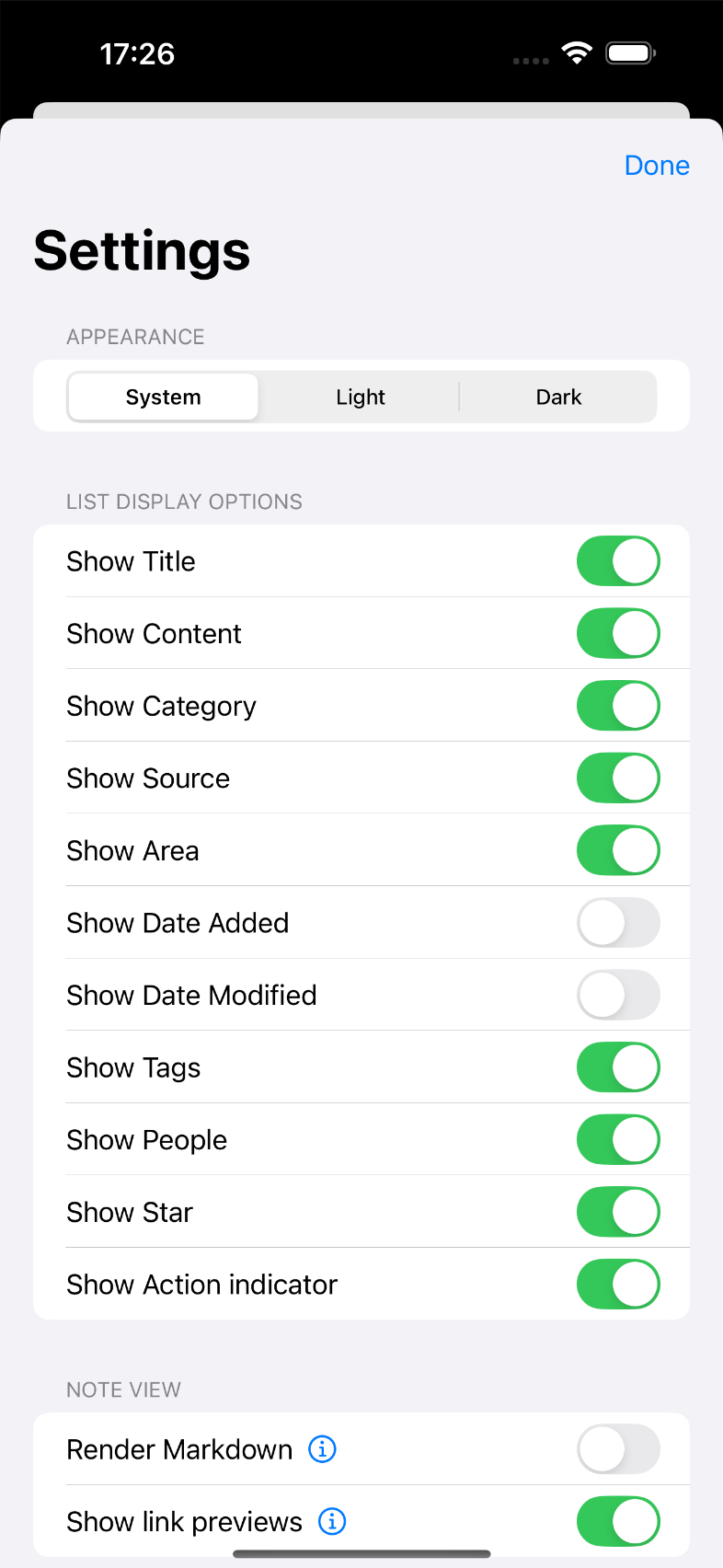
Choose how much metadata to show and switch to streamlined reading when you want the note content itself to take centre stage.
See Anecnote in action
This walkthrough follows the core flow of Anecnote: adding notes, enriching them with metadata, then using Smart Views and focused lists to bring useful information back when you need it.
Click or tap the titles below to switch the screenshot and view a short explanation over the image.
Key use cases
Anecnote is deliberately broad. It gives you enough structure to stay organised without boxing you into one kind of note-taking.
Capture personal memories, observations and stories so they stay vivid and easy to revisit.
Keep the things people say, the stories you hear and the ideas you want to remember close to hand.
Log notes around an operation, renovation, purchase or other continuing situation and pull them together with a Smart View.
Save films, books, places and recommendations so your best finds do not disappear into the noise.
Built to adapt
Anecnote is designed to flex around your own system. You can rename and customise metadata, decide how much detail to show in lists, and connect the app to wider workflows when you want something more advanced.
Choose your own labels and metadata structure so Anecnote matches the way you think about your notes.
Use the custom URL scheme to create and open notes programmatically when you want Anecnote to fit into a wider workflow.
Export notes to CSV or Markdown and enable Markdown processing when you want richer formatting inside the app.
Keep your notes backed up and synced across devices privately via iCloud and CloudKit.
From the blog
Visit Shaking the Habitual for Anecnote updates, Smart View walkthroughs, and practical tips for capturing and finding the notes you want to remember.
Support and guidance
The Anecnote help collection covers the app basics, Smart Views, settings and the custom URL scheme so you can go deeper whenever you are ready.
Create and manage notes
Learn the basics of capturing and organising your notes.
Build Smart Views
Surface the right groups of notes when you need them.
Configure settings
Tailor metadata, display and behaviour to suit your workflow.
Explore automation
Use the custom URL scheme in shortcuts and advanced workflows.